Groups and programme guide
British IPTV channels: what’s on and how it’s arranged
British IPTV channels are arranged into groups by subject and by country, so you can move around with a remote instead of scrolling one endless list. This page explains what each group covers, how the programme guide copes with GMT and British Summer Time, and how to check a particular channel before you pay. We don’t print a headline channel total: line-ups change, and a big number says little about whether the channel you want is there.
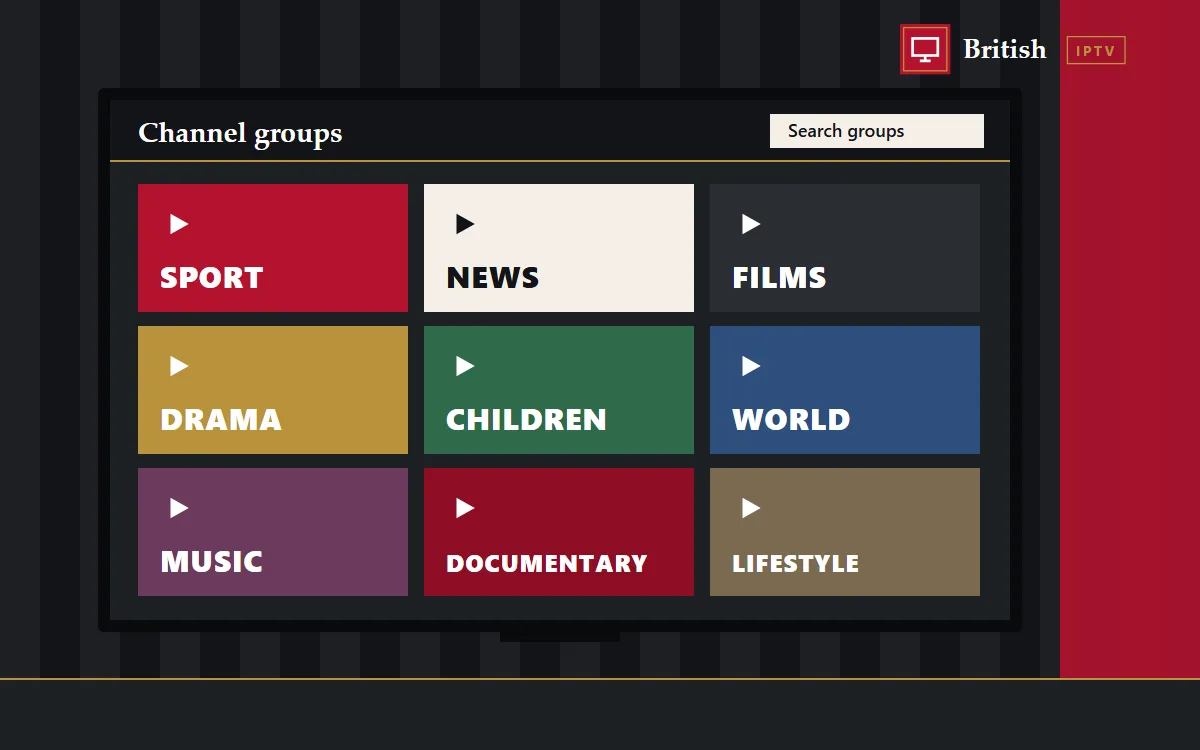
How British IPTV channels are arranged
When your player app loads, the groups appear down one side of the screen or across the top. Each group holds one kind of channel, such as sport, news or children’s, or channels from one country or region. Open a group, highlight a channel and press OK to watch. Most apps let you search by name, hide groups you never use and pin favourites to the top, which shrinks a long list to a handful of channels within a few minutes.
Live channels sit in the Live TV section. Films and series live separately in the on-demand sections, usually called Movies and Series. The difference matters: live channels follow a schedule, while on-demand titles start when you press play. That split is the backbone of how we organise British IPTV channels.
Sport through the seasons
For plenty of homes the calendar runs on sport: football from August to May, the Six Nations in late winter, cricket and tennis in the summer, darts at Christmas. The sport groups in our British IPTV channels list cover football, both rugby codes, cricket, tennis, golf, snooker, darts, boxing and motorsport.
Which fixtures appear depends on the current line-up and on broadcasting rights, so we never promise a specific match or competition ahead of time. If there’s a game you can’t miss, message us before ordering and we’ll tell you honestly what today’s list shows. For live sport, a wired connection and the HD version of a channel usually give the steadiest picture on a busy Saturday.
News and current affairs
The news groups bring together UK and international news, business coverage and rolling bulletins from around the world. They’re handy for the breakfast headlines, following a story through the day or watching news from a country where you have family.
Films and box sets on demand
The on-demand library works like a streaming app. Films are sorted by genre, from thrillers and comedies to documentaries, and series are listed by show and season so you can pick up the right episode. Many players remember where you stopped and let you build a watch-later list. Because nothing depends on a schedule, on-demand suits shift workers and late-night viewers alike.
Children’s and family
Cartoons, family films and children’s programmes have their own groups. Making those the favourites on a child’s tablet keeps everything else out of the way, and several player apps offer a PIN lock for late-night or adult groups.
World TV for British IPTV UK homes
Britain is home to people from everywhere, and the world groups reflect that. You’ll find channels from Ireland, Europe, India, Pakistan and Bangladesh, Africa, the Middle East, the Caribbean and further afield. If you’re after a particular language, ask us which groups carry it before you buy, and we’ll tell you straight.
Favourites and tidy lists
Ten minutes of tidying makes a big difference. Hold OK on a channel to add it to favourites, hide groups nobody watches and give each person in the house their own favourites list if the app allows it. The children land on cartoons, everyone else lands on news or sport, and nobody scrolls past four hundred channels to get there.
Recording, catch-up and what to expect
Some player apps can record a channel or offer catch-up on selected groups, but that depends on the app and the channel rather than on your plan, so treat it as a bonus rather than a promise. If time-shifting matters to you, tell us your device and we’ll suggest an app that handles it well. For everything else, the on-demand library is the simplest way to watch on your own schedule.
Programme guide, GMT and British Summer Time
Supported apps show an electronic programme guide (EPG): a grid of what’s on now and next for each channel. Set the app’s time zone to London, or adjust the guide offset, and listings will match your clock. The clocks go forward on the last Sunday in March and back on the last Sunday in October, so if the guide looks an hour out after a change, a quick offset tweak puts it right.
Picture quality and your broadband
Many British IPTV channels come in more than one version, such as SD, HD, FHD and sometimes 4K. Higher quality needs more bandwidth: allow around 10 Mbps for HD and 25 Mbps or more for 4K. If a picture buffers in the evening, switch to the HD version of the same channel. Each of our setup guides includes connection tips for that device.
Checking a channel before you pay
The simplest way to check British IPTV channels is to ask. Send a WhatsApp message naming the channel, competition or language you’re after and we’ll look at the current list for you. We’d rather you knew before paying than found out afterwards.
Seen enough to decide?
Pick the number of screens and the length that suits you. Every plan includes every British IPTV channel group.